Apply and merge controls
Four checks stand between a pull request and a merged, applied change: who may type a command, whether the pull request is approved, whether the plan being applied is the plan that was reviewed, and whether the branch may merge. Plan and apply covers the flow they guard; Security model explains why they exist.
The command gate
Before any of that, the engine checks who typed the command. Every command must
come from a comment whose author_association is OWNER, MEMBER, or
COLLABORATOR. Anyone else gets a 😕 reaction and a reply saying the command was
refused.
tfpr apply and tfpr unlock must clear a second check: the commenter's real permission
on the repository, which must be write or admin. Association alone is not
enough for them, because MEMBER means organization member and can include people
with read-only access here. tfpr plan stays on the association filter, so a read
collaborator can still ask for a re-plan on their own PR.
The approval gate
tfpr apply is blocked until the PR meets the repo's required reviews. When it is not
yet approved, the engine posts a comment explaining that apply is blocked, and the
apply job does not run. This uses GitHub's own review decision, so it is configured
entirely in branch protection or rulesets. The approval must be an approving review on the head commit from a user with write access:
a review given before the latest push is stale, and the comment reads "Apply
blocked: The approval on this PR predates the latest push" when the ruleset
keeps stale reviews. Commands also run on open pull requests only; a closed
or merged one gets "Command refused: This PR is not open".


A repository that requires no approving reviews at all is a special case: GitHub
reports no review decision, and the engine refuses that too. Such a repository
opts back in with the TFPR_ALLOW_UNREVIEWED_APPLY variable. See
Secrets and variables.
The informational tfpr / approval row shows the same decision on the
PR. A run sets it, and a submitted or dismissed review refreshes it through
the review caller (tfpr-review.yml) about 20 seconds later, without a
new plan. A review never changes the merge gate. See
The approval check.
The reviewed-plan guard
Apply re-plans each unit just before applying it, so between review and apply the world can move: an out-of-band portal change, drift, or a data source resolving differently. Every plan records a summary of the plan's resource actions, stamped with the commit it was taken at, and apply compares its fresh plan against that summary per unit. The summary lives in the unit's check run on the head commit, which only the checks App can write; a summary pasted into a comment is ignored. Any difference refuses the apply for that unit: the report shows which resource actions were reviewed but are no longer planned and which are planned but were never reviewed, the per-unit check reads "Plan changed since review", and the merge gate blocks with "Plan changed since review: comment tfpr plan, then tfpr apply after review".
A tfpr apply at a commit that has no plan report is refused the same way, so an
apply on a freshly pushed head cannot ship a plan nobody read. The recovery is
always the same: tfpr plan, review the new plan, tfpr apply again. To apply the
current plan without a re-review, comment tfpr apply --force; the applied report
then says what the force overrode. Force does not bring the plan-stage gates
back either: the operator has read the fresh plan in their place.
The merge gate
The tfpr / merge-gate check is the safety net. It is green
when:
- the PR has no Terraform changes, or
- every unit is a no-op, or
- every impacted unit has been applied, or
- the only Terraform change is the removal of units, which is reported instead.
It is red while changes remain unapplied, when a plan or apply failed, or when an apply was refused because the plan changed since review. It also blocks when the PR changed Terraform but discovery selected no units, so an unapplied net-new unit cannot slip through green, and when the engine refused the run before planning (the title names the reason; see Troubleshooting). Made a required check, it guarantees the main branch always matches applied infrastructure.
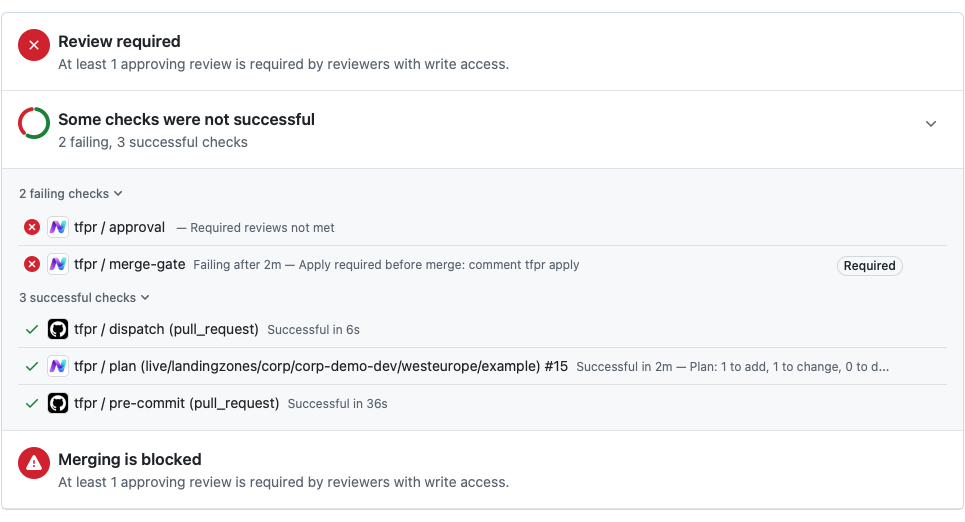
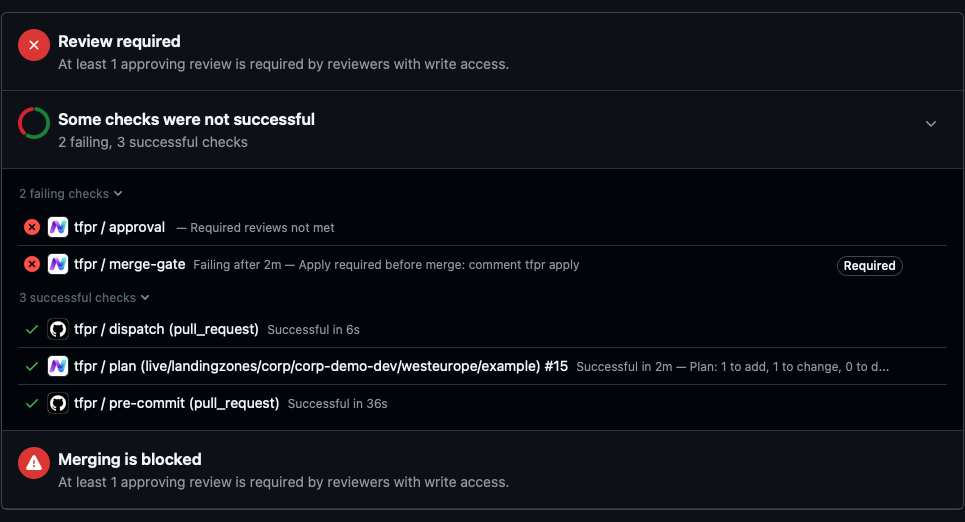
Before the apply, the gate is red and names the next step. This PR was re-planned once, so the first plan row reads Outdated:
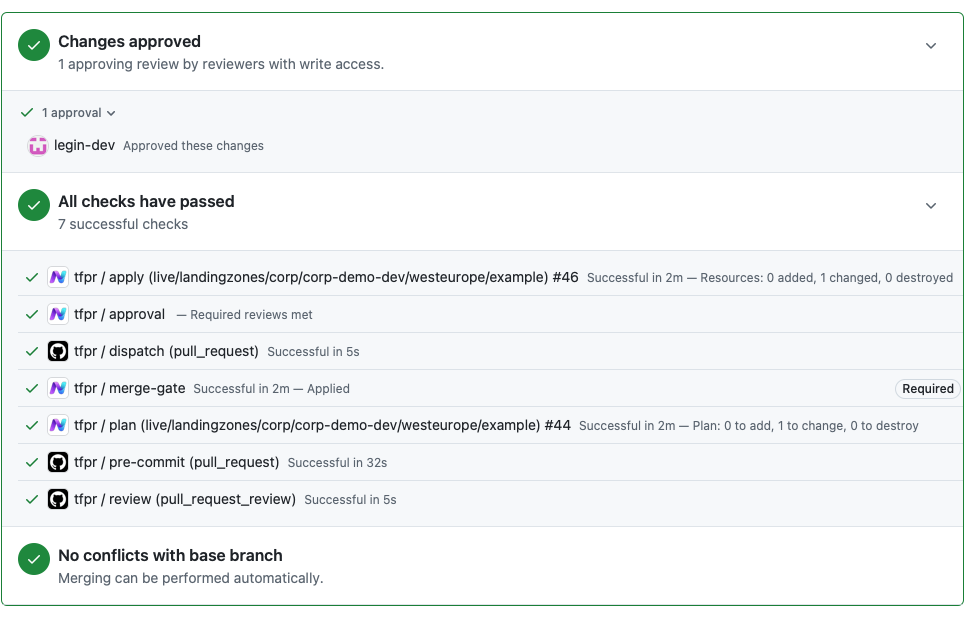
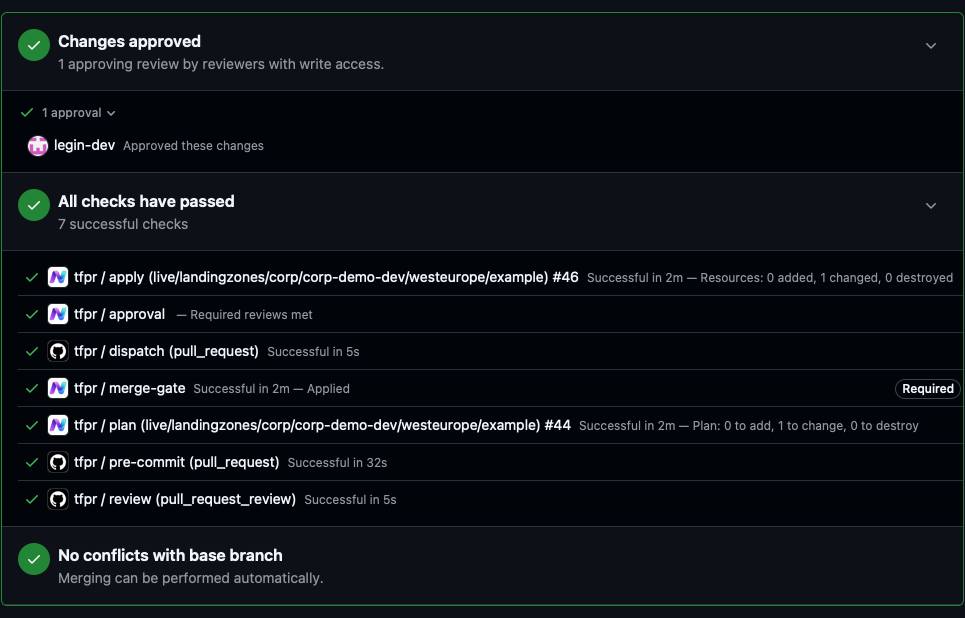
After an approved tfpr apply, every row is green and the gate reads Applied:
A filtered run (tfpr plan -p or tfpr apply -p) judges the gate over every unit the
PR touches, not just the one it ran. It discovers that set without the filter
and reads each unit's newest plan or apply row on the head commit. A unit with
no row on this commit blocks the gate ("No result for 1 of 3 units: comment
tfpr plan"). So applying unit by unit turns the gate green once every unit is
applied or a no-op, and a filtered re-plan clears a stale lock or error
verdict. Only rows written by the checks App count; without the App, a
filtered run leaves the gate as it was.
Unattributed Terraform paths
The same rule covers a wrong-but-nonzero selection. Every
changed Terraform-pattern path must be accounted for by a selected unit, a file
a selected unit reads on the default branch, an excluded subtree, a removed unit, a
gate_ignore: pattern in projects.yml, or projects.yml itself. When every
unit planned, nothing can have escaped, so a shared file the default branch
does not read yet, such as a new env.hcl, passes too. Whatever remains blocks every green
verdict with N Terraform path(s) changed outside the planned units, naming
the paths when they fit the check title and always in the gate job's log. So a
PR that changes a shared file no unit reads can no longer plan a subset, go
green, and merge with the rest never planned. A filtered -p run keeps this
check too. See
projects.yml for gate_ignore:.
The selection itself is checked the other way round as well: a unit whose files changed, a unit that reads a changed shared file on the default branch, and a unit reported removed whose folder is still on the branch each fail the gate with "Discovery disagrees with the changed files", so a pull request cannot make discovery under-report its own run. The gate job's log names the unit and the reason; see Troubleshooting.
Removed units
Deleting a whole unit directory is the one case the checks above cannot see. Discovery walks the pull request's own tree, so a deleted unit is discovered by nothing there.
Every run therefore also discovers the default branch's tree, in a job that
runs only the default branch's code, and compares the two inventories. A unit
present on the base branch but missing here gets a destroy plan run from the
base branch's copy of the repository, so the pull request's own code cannot
shape it. Its report leads with the choice: tfpr apply -p <unit> destroys,
merging without applying keeps. The merge gate passes either way, with a
description like 1 unit removed: merge keeps it, tfpr apply -p destroys it,
and a plain tfpr apply never destroys a removed unit.
The gate does not block a removal, because keeping the resources is a valid
outcome. Two cases get no destroy plan: a unit another remaining unit depends
on (the report names the dependents), and a removal that matches a unit added in
the same pull request, which reads as a move. A move keeps the resources under
the old state key, so it is a state move or an import, never a destroy. Adding a
projects.yml exclude for a unit keeps today's removal report and destroys
nothing.
The pass covers the removal and nothing else
The gate passes only when the removal accounts for every changed Terraform path in the pull request. Remove one unit and add another in the same pull request and the gate still blocks, on the one you added. A brand-new unit that discovery cannot see yet looks exactly like a deleted one from the gate's side, and only the removed paths tell the two apart.
A removed-unit check that did not finish grants nothing either. It reports itself incomplete, and an incomplete check cannot excuse a discovery gap it never proved was a removal.
The full procedure, for both outcomes, is Decommissioning a unit in the runbook.