Add a workload unit
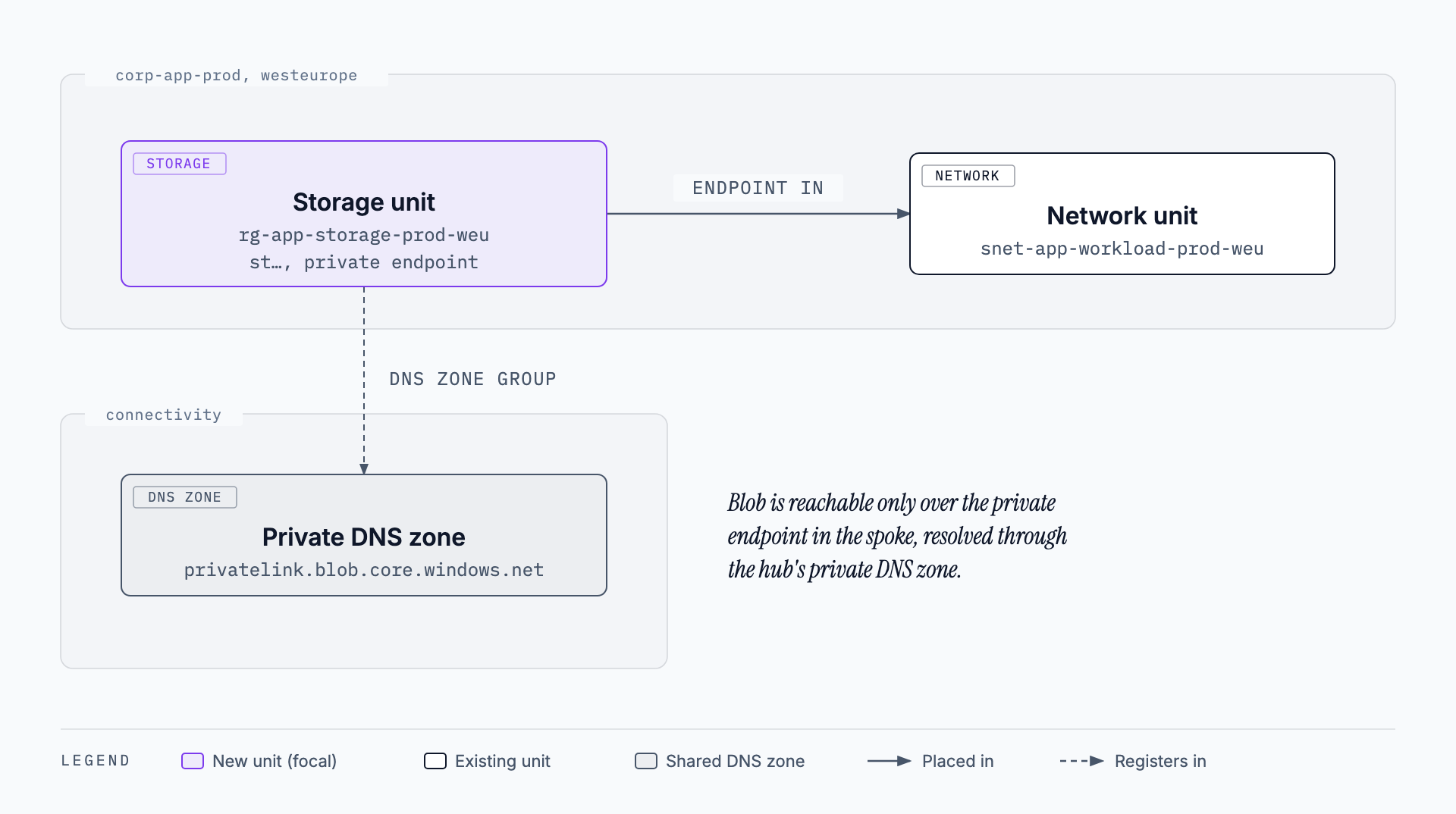
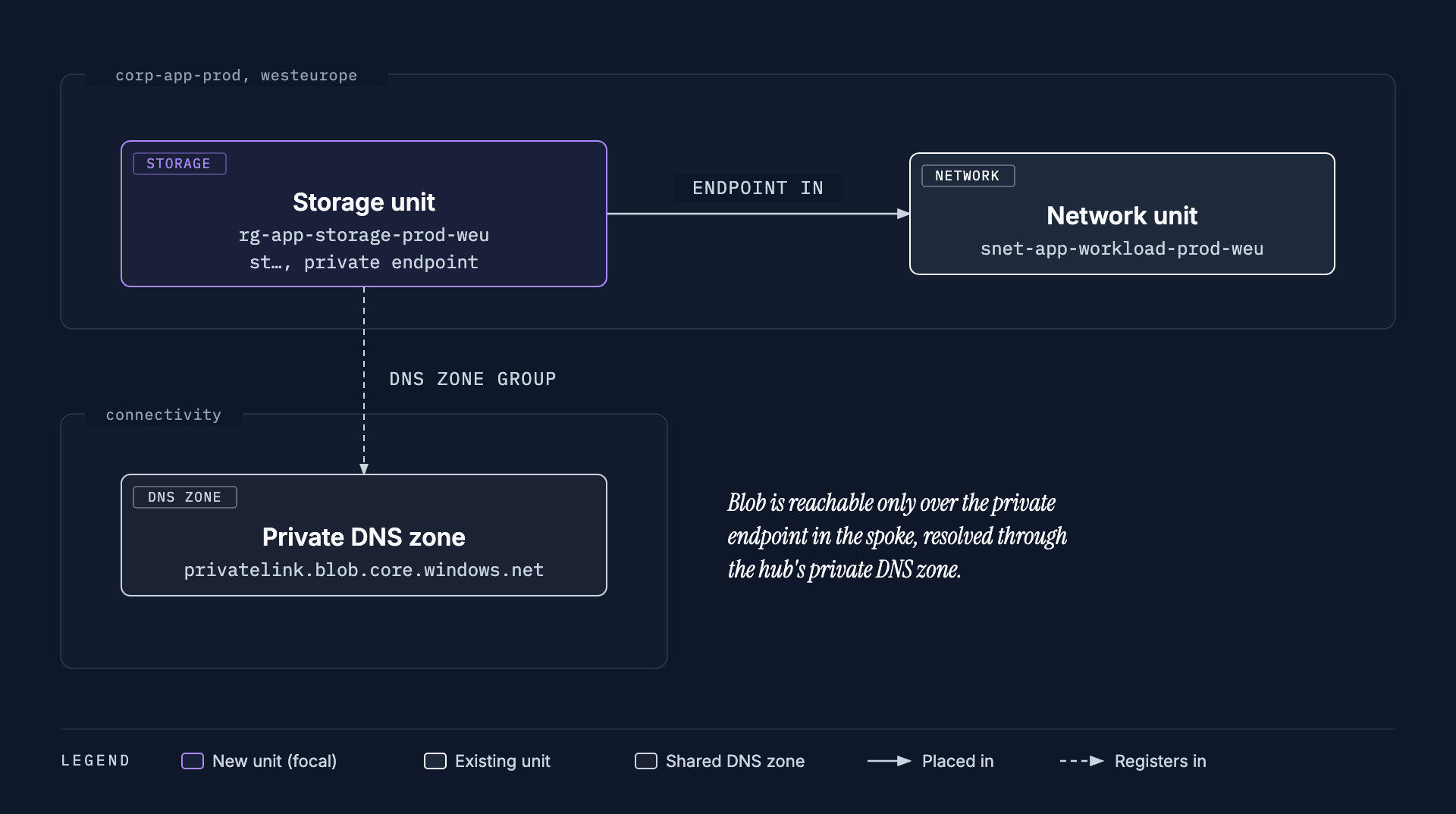
A single resource, or a small set that belongs together, goes in its own unit under the landing zone's region folder, next to the network unit. Each gets its own state, so it plans and applies without touching the spoke. The example is a storage account that is private by construction: no public endpoint, no shared keys, blob reachable only over a private endpoint in the spoke, resolved through the hub's private DNS zone.
Example: examples/options/workload-unit/.
The tree you add
live/landingzones/corp/corp-app-prod/westeurope/
├── region.hcl
├── network/
└── storage/                        # new
    ├── terragrunt.hcl              # depends on ../network
    └── main.tf
What it deploys
| Resource | Module | Version |
|---|---|---|
A generated name, st<purpose><env><loc><random> |
Azure/naming/azurerm |
0.4.4 |
rg-app-storage-prod-weu |
Azure/avm-res-resources-resourcegroup/azurerm |
0.4.0 |
| The storage account (StorageV2, zone-redundant), its blob private endpoint and DNS zone group | Azure/avm-res-storage-storageaccount/azurerm |
0.10.0 |
Module docs
Links point at the pinned version. The module examples are applied by the module's own CI on every release.
The four rules of a workload unit
- Its own state. A unit is
terragrunt.hclplusmain.tf, nothing else. The root contract generates the backend and the providers. - Ordering by
dependencies, values by convention. The unit depends on../networkso the subnet exists first, and derives the subnet's resource id from the names the network unit uses. It reads no outputs. See Sharing data between units for when adependencyblock is justified. - Cross-scope ids are literals. The private DNS zone lives in the
connectivity subscription, which is not an ancestor of this folder, so its
subscription id is a literal in
main.tf, with a comment naming the owner. - The house tag block. Copied from the network unit, with
appset to what this unit is.
Names with a length limit
Storage accounts take no hyphens and cap at 24 characters, so the name is
generated with Azure/naming/azurerm and its name_unique suffix. Key vaults
keep hyphens but share the 24-character cap. Everything else follows
<type>-<purpose>-<environment>-<region>; see the naming section of your
repository's AGENTS.md.
What people get wrong
- A public endpoint by default. The AVM storage module defaults
public_network_access_enabledto false; keep it so, and keepshared_access_key_enabled = false. Workloads authenticate with a managed identity and a role assignment on the account. - A private endpoint without the zone. The endpoint resolves nowhere. The zone must exist in the hub (the minimal and firewall hubs ship it) and the spoke must be linked to it.
- Putting the identity in
lz-vending. The identity that reads this account belongs to the workload that uses it. Add it, and its role assignment, in that workload's unit.